AI Tools for Job Search: Top Tools to Find Jobs Faster & Smarter
Published: 23 Dec 2025
Job hunting today is not just about sending resumes. It’s about speed, strategy, and smart tools. That’s where AI Tools for Job Search come in. From finding the right roles to improving resumes and preparing for interviews, Artificial Intelligence is helping job seekers work faster and apply smarter in a competitive market.
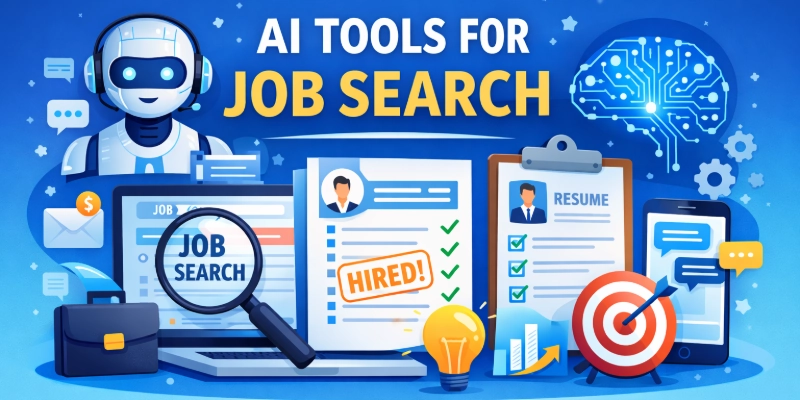
These tools are no longer limited to tech roles. Many employers now expect candidates to understand how AI job search tools work, even for non-technical jobs. If you know how to use AI for job search the right way, you can stand out, save time, and find better opportunities with less stress.
This guide shows how AI tools for job hunting can support your search, which tools are worth using, and how to apply them wisely.
Top AI Tools for Job Search
Finding the right job takes time, effort, and smart decisions. Today, AI tools can make this process easier by helping you search faster, improve your profile, and stay organized. Below is a clean list of reliable and widely used AI tools that job seekers trust.
AI Tools List:
- LinkedIn AI Job Search
- Rezi
- Jobscan
- Teal
- Hiration
- Kickresume
- Zety
- Careerflow AI
- LoopCV
- Final Round AI
- SuperInterview AI
- ChatGPT
Each of these tools solves a different job search problem. Choosing the right mix can help you apply smarter, stay confident, and move closer to the job you want.
1. LinkedIn AI Job Search
LinkedIn AI Job Search uses machine learning to show job openings that fit your skills, experience, and goals. It goes beyond filters by understanding intent in normal language. This makes it easier to find roles you might miss. It is part of LinkedIn’s career search experience.
Why it’s useful:
It helps you discover relevant job postings without manually scrolling through listings. You get suggestions tailored to your profile and career interests. It also connects you to recruiters and hiring managers. This reduces the time spent on basic searches.
Pros
- Personalized job suggestions
- Easy to use on mobile and desktop
- Network insights included
- Matches based on skills and preferences
- Shows trending job roles
Cons
- Premium features cost extra
- High competition for popular jobs
- Suggestions depend on profile detail
- Can show repeated postings
- Limited control over filters
Who should use: Professionals and students who want more relevant job leads with less manual search.
Tip: Update your profile often so the AI suggestions stay accurate.
2. Rezi
Rezi is an AI resume builder focused on helping your resume pass automated hiring systems. It analyses job descriptions and suggests the right skills and words. This improves how your resume ranks in application screening.
Why it’s useful:
You use Rezi to build resumes that match specific job postings. It improves keyword use and structure so you get more interview calls. It also offers templates and real‑time feedback to strengthen your resume.
Pros
- ATS‑optimized resumes
- Job description scanning
- Helpful writing suggestions
- Clean, professional templates
- Quick feedback loop
Cons
- Some advanced templates cost money
- Not strong for creative designs
- Needs time to learn all features
- Limited free downloads
- Focused mainly on resumes
Who should use: Job seekers who want to improve their resume success for automated screening.
Tip: Match your resume to each job by using the job description tool.
3. Jobscan
Jobscan compares your resume with a job description and gives you a match score. It tells you which skills and words are missing. It also shows how well your resume will perform in automated screening systems.
Why it’s useful:
Jobscan helps you tailor resumes for specific roles so you pass ATS checks more often. It scans for keywords, skills, and formatting issues. This improves your chances of getting seen by recruiters.
Pros
- Clear match scores
- Detailed keyword feedback
- Works with LinkedIn profiles
- Improves resume relevance
- Easy scoring system
Cons
- Limited free scans
- No document building tools
- Manual edits still required
- Repetitive results for similar jobs
- Not a full job platform
Who should use: Applicants targeting competitive roles that require customization.
Tip: Use Jobscan for every key application to raise your match score.
4. Teal
Teal is a career platform that combines resume help, job tracking, and content suggestions. It uses smart tools to keep your search organized and stronger. It brings your applications, notes, and edits together in one place.
Why it’s useful:
You use Teal to track where you’ve applied and manage next steps. It also suggests ways to improve resumes and cover letters. This saves time and keeps your job search efficient.
Pros
- Unified tracking board
- Keyword suggestions
- Chrome extension for saving jobs
- Timeline for follow‑ups
- Simple, clean design
Cons
- Many features behind paywall
- Basic resume design choices
- Minimal interview tools
- Takes time to learn fully
- Limited networking functions
Who should use: People managing many applications at once.
Tip: Always set reminders for follow‑ups and deadlines.
5. Hiration
Hiration is an AI assistant that improves your resume, LinkedIn profile, and interview answers. It offers suggestions and templates to make your documents stronger. It also helps you speak and write more clearly.
Why it’s useful:
You use Hiration to polish professional documents and prep for interviews. It gives writing tips that make your materials look more confident and complete. This boosts your chances of getting noticed.
Pros
- LinkedIn profile suggestions
- Clean resume templates
- Interview practice questions
- Clear writing prompts
- User‑friendly interface
Cons
- Free version has limits
- Templates are basic
- No automated job matching
- Premium gets expensive
- No job tracking built in
Who should use: Candidates who want polished resumes and interview prep help.
Tip: Use the LinkedIn suggestions to make your online profile stronger.
6. Kickresume
Kickresume is an AI resume and cover letter platform with well‑designed templates. It helps you create professional materials quickly. It adds AI text suggestions to make writing easier.
Why it’s useful:
You use Kickresume to build resumes and letters that look great and read well. It also provides examples and suggestions to guide your writing. This is useful when visuals matter.
Pros
- Attractive templates
- Cover letter builder included
- AI writing support
- Fast document creation
- Good example library
Cons
- Less strong for ATS
- Downloads may require payment
- Limited job tracking functions
- Not ideal for technical resumes
- Needs manual keyword edits
Who should use: Professionals who want visually appealing resumes.
Tip: Customize the writing suggestions so they match your real experience.
7. Zety
Zety is an easy resume and cover letter builder with step‑by‑step guidance. It offers templates and writing advice. This makes it useful for people new to professional job applications.
Why it’s useful:
You use Zety to construct polished application documents quickly. It helps you structure content and choose clear wording. This improves your overall job materials.
Pros
- Guided document creation
- Modern templates
- Helpful suggestions
- Easy to use
- Quick setup process
Cons
- Paid plan needed to download
- Limited ATS insights
- Fewer advanced tools
- No job tracking
- Basic customization
Who should use: Beginners and first‑time applicants.
Tip: Follow the built‑in writing prompts for clearer expressions.
8. Careerflow AI
Careerflow AI is a platform that helps with resumes, LinkedIn profiles, and job tracking in one place. It uses intelligent suggestions to improve your materials. It keeps your job search workflow streamlined.
You use Careerflow AI to manage applications, tailor resumes, and update your online presence. It makes the search process more organized and less stressful.
Pros
- Integrated job tracking
- LinkedIn optimization tips
- Resume suggestions
- Central dashboard
- Simple design
Cons
- Free version limited
- Fewer advanced features
- Not well known
- No interview prep tools
- Less detailed analytics
Who should use: Applicants who want a strong all‑in‑one search hub.
Tip: Check your resume insights every few applications.
9. LoopCV
LoopCV is an automation tool that finds job openings and applies for you based on your preferences. It can connect to multiple job boards to cast a wide net. This helps reduce repetitive work.
Why it’s useful:
You use LoopCV to automatically submit applications that match your criteria. It boosts reach and saves time. You still review applications manually afterward.
Pros
- Saves application time
- Automated search
- Works with job boards
- Custom filters
- Reduces repetitive tasks
Cons
- Might apply to irrelevant roles
- Less personalized messages
- Needs monitoring
- Not ideal for senior roles
- Manual follow‑up still needed
Who should use: Active job hunters targeting many roles at once.
Tip: Always review automated applications for accuracy.
10. Final Round AI
Final Round AI delivers adaptive interview practice by generating realistic questions and feedback. It simulates interviews so you can practise in a safe environment. This helps improve delivery and confidence.
Why it’s useful:
You use Final Round AI to rehearse responses before real interviews. It adjusts questions based on your answers and offers insights that prepare you better.
Pros
- Realistic simulations
- Immediate feedback
- Boosts confidence
- Remote practice
- Role‑specific drills
Cons
- Limited free access
- Not a job discovery tool
- Subscription improves value
- Doesn’t track applications
- Needs repeated use to improve
Who should use: Candidates preparing for interviews.
Tip: Record your practice responses to track improvement.
11. SuperInterview AI
SuperInterview AI is an interview prep tool that asks adaptive questions and gives feedback. It helps you practise structured answers for common and advanced interview topics.
Why it’s useful:
You use it to rehearse interview responses and improve communication. The tool is useful when preparing for real conversations with hiring managers.
Pros
- Adaptive question sets
- Feedback on answers
- Easy interface
- Helps communication
- Quick practise sessions
Cons
- Subscription needed for full access
- Smaller question library
- No resume help
- Limited analytics
- No job tracking
Who should use: People focused on improving interview performance.
Tip: Focus on feedback to strengthen weak answers.
12. ChatGPT
ChatGPT is a general AI assistant that helps with writing resumes, cover letters, and interview answers. It generates ideas, drafts, and suggestions in simple language. It adapts to your prompts.
What it’s used: You use ChatGPT to brainstorm content, rewrite sections for clarity, and practise interview topics. It supports many parts of the job hunt without being tied to a specific board or platform.
Pros
- Flexible across tasks
- Free version available
- Quick content generation
- Works on many topics
- Easy to use
Cons
- Not specialized for job boards
- Requires clear prompts
- No tracking features
- Needs verification of facts
- Outputs vary by input quality
Who should use: Anyone who needs support with written job materials or preparation.
Tip: Use clear prompts to get better, more accurate responses.
Comparison of Top AI Tools for Job Search
This table compares the best AI tools for job seekers, highlighting their primary uses, who they’re best suited for, and which ones are free or ideal for interview preparation.
| Tool Name | Main Use | Highlights | Best for Beginners | Best Free Tool | Best for Interviews |
| LinkedIn AI Job Search | Discover jobs matching your skills | Personalized suggestions, networking insights | ❌ | ✅ | ❌ |
| Rezi | Build ATS-optimized resumes | Keyword suggestions, templates, quick feedback | ✅ | ✅ | ❌ |
| Jobscan | Match resume with job description | Match scoring, LinkedIn integration | ❌ | ✅ | ❌ |
| Teal | Track applications & optimize resumes | Dashboard, follow-ups, keyword guidance | ✅ | ✅ | ❌ |
| Hiration | Improve resume, LinkedIn & interviews | Templates, writing tips, interview practice | ✅ | ✅ | ✅ |
| Kickresume | Design resumes & cover letters | AI content suggestions, templates | ✅ | ✅ | ❌ |
| Zety | Guided resume & cover letter creation | Step-by-step guidance, clean templates | ✅ | ❌ | ❌ |
| Careerflow AI | Manage job search workflow | Centralized tracking, resume & LinkedIn insights | ✅ | ❌ | ❌ |
| LoopCV | Automate job applications | Auto-apply, filters, multi-platform | ❌ | ✅ | ❌ |
| Final Round AI | Interview preparation | Role-specific questions, realistic simulations | ❌ | ❌ | ✅ |
| SuperInterview AI | Mock interview practice | Adaptive questions, feedback | ❌ | ❌ | ✅ |
| ChatGPT | Draft resumes, cover letters, and prep interviews | Flexible AI assistance, idea generation | ✅ | ✅ | ✅ |
AI Tools for Interview Preparation
Once you’ve landed interviews, preparation becomes key. AI tools can simulate realistic scenarios to help you practise.
Here are useful options:
Mock Interview Tools
Tools like Final Round AI or Careerflow generate interview questions based on the job description, and give you feedback afterward. They make practise feel closer to real interviews.
Practice with AI Chatbots
You can even use general AI assistants to ask for common interview questions in your field, then practise answering them out loud or in writing. These sessions help you clarify your thoughts, especially for behavioural questions.
Voice and Delivery Feedback
Some platforms analyse your speech, tone, and pacing. That’s useful for virtual interviews where presentation matters.
AI prep doesn’t replace real practice, but it helps you enter conversations with more confidence.
Tips to Get Better Results with AI Job Search Tools
This heading works well after a comparison table because it provides actionable advice instead of just more information. It shows readers how to use the tools effectively, making the blog more complete and useful.
- Offers practical guidance to maximize AI tools’ benefits
- Encourages combining AI suggestions with personal edits for best results
- Focuses on real-world strategies like follow-ups and customization
- Keeps readers engaged with actionable next steps
Conclusion
So guys, in this article we have discussed Artificial Intelligence tools for job search in detail. AI tools are reshaping the job search. They help you find listings, tailor your resume, perfect your cover letter, practice interviews, and manage your process more effectively. When used well, they save time, improve quality, and make you a stronger candidate.
The key is balance. Use AI to augment your skills, not replace them. Read every AI-generated draft, personalize it to reflect your real experience, and combine it with thoughtful preparation. If you do that, you’ll not only save time, you’ll increase your chances of finding the right job.
If you’re ready to take control of your job search with AI, start by picking one or two tools that match your needs and explore how they fit into your workflow. With the right approach, AI becomes a partner in your career growth.





- Be Respectful
- Stay Relevant
- Stay Positive
- True Feedback
- Encourage Discussion
- Avoid Spamming
- No Fake News
- Don't Copy-Paste
- No Personal Attacks
- Be Respectful
- Stay Relevant
- Stay Positive
- True Feedback
- Encourage Discussion
- Avoid Spamming
- No Fake News
- Don't Copy-Paste
- No Personal Attacks
